Know what needs watering today. Remember what worked last season.
Built for: anyone growing more than a couple of plants who's tired of losing track, with unlimited plants, any growing space, and no per-plant fee.
GardenHQ is the Garden Operating System: the Notion system that turns every watering, feeding, seasonal task, and garden note into one calm home base, replacing the Notes app, camera roll, scattered spreadsheets, and the mental load of keeping it all straight. Built for pots on a windowsill, raised beds, and full backyard plots, not just one houseplant with a weekly reminder.
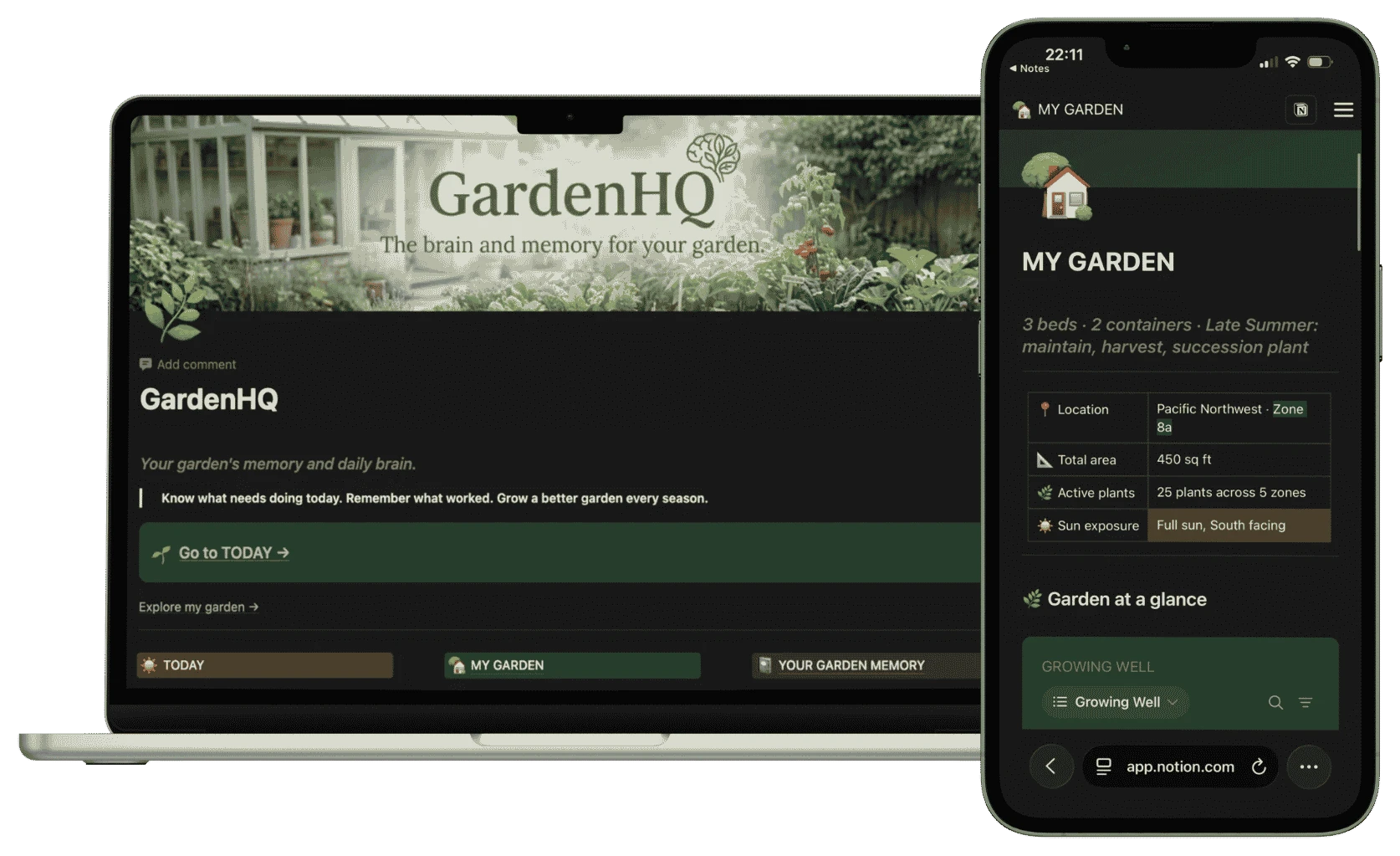
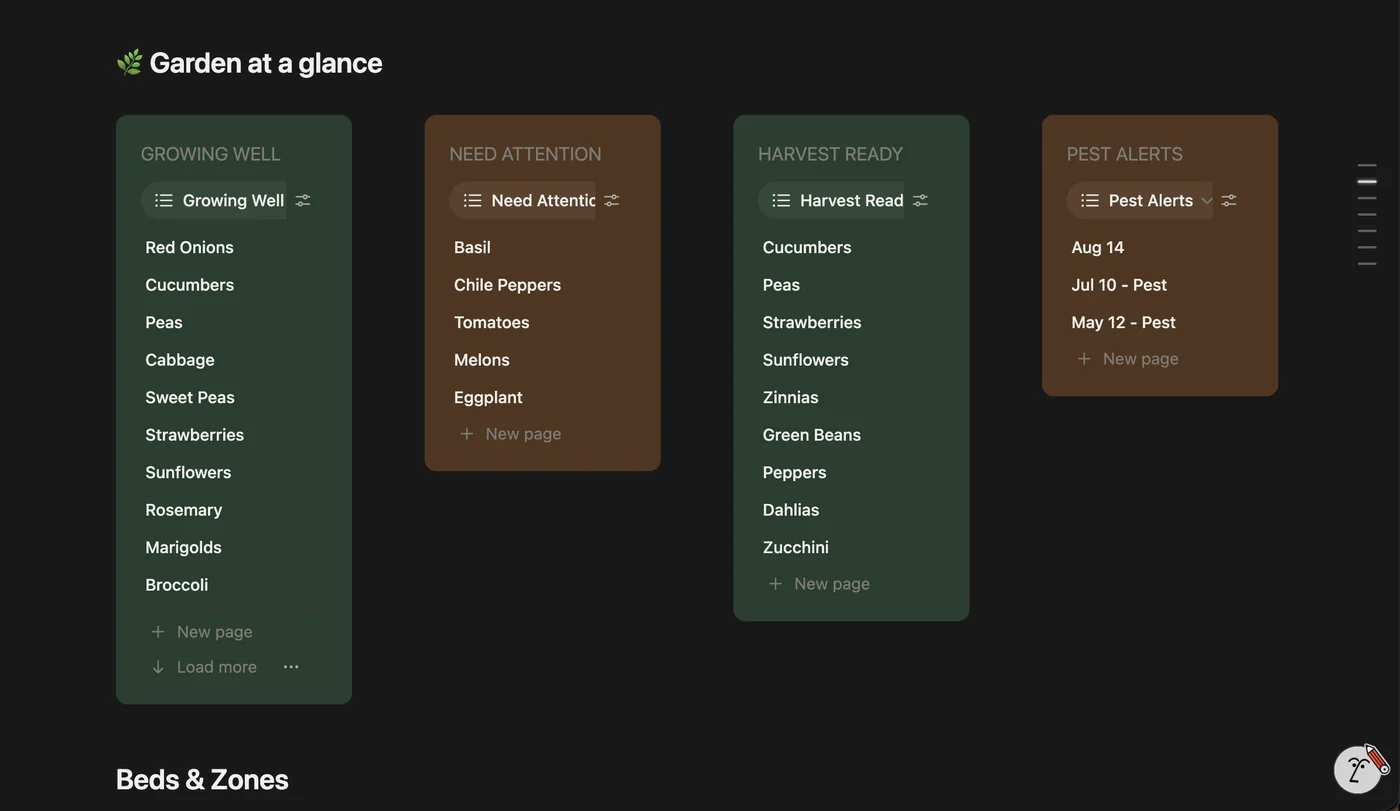
The real GardenHQ system. Today, Plant Registry, This Season, and Memory previews below.
Limited time
Costs less than a flat of nursery starts, and you keep it forever.
β β β β β 4.9/5 Β· 229 reviews Buy GardenHQ for $47 βTakes you to checkout, quick and secure, and you land right back here after.
βOffline mode saved the harvest log when the signal dropped behind the shed. Sync happened when I got back to the house.β β James B.
βZone and sector thinking finally has a home. Design decisions stop living only in my head.β β Josephine Y.
βGinger and turmeric scraps finally have a home in the notes. Watching which ones push shoots and which stall is oddly satisfying.β β Ariana N.
Building more than one system? Get all 5 HQ systems for $177 instead of $235 separately (see the bundle β)
No subscriptions, no locked tiers: the full system, every page, unlocked at $47. Most plant-care apps charge a recurring fee; GardenHQ is one payment, once, and it's yours for as long as you're growing something.
What you're actually choosing between:
Free, but scattered across five places and gone the moment you forget to write it down.
A typical plant-care subscription app: built around a handful of houseplants, billed every year, and gone the day you stop paying.
Every bed, every plant, one structured home. Yours for good, no recurring charge.
GardenHQ is organized around the way people who actually stick with a garden think, built so you always know what to do today, and what happened last season.
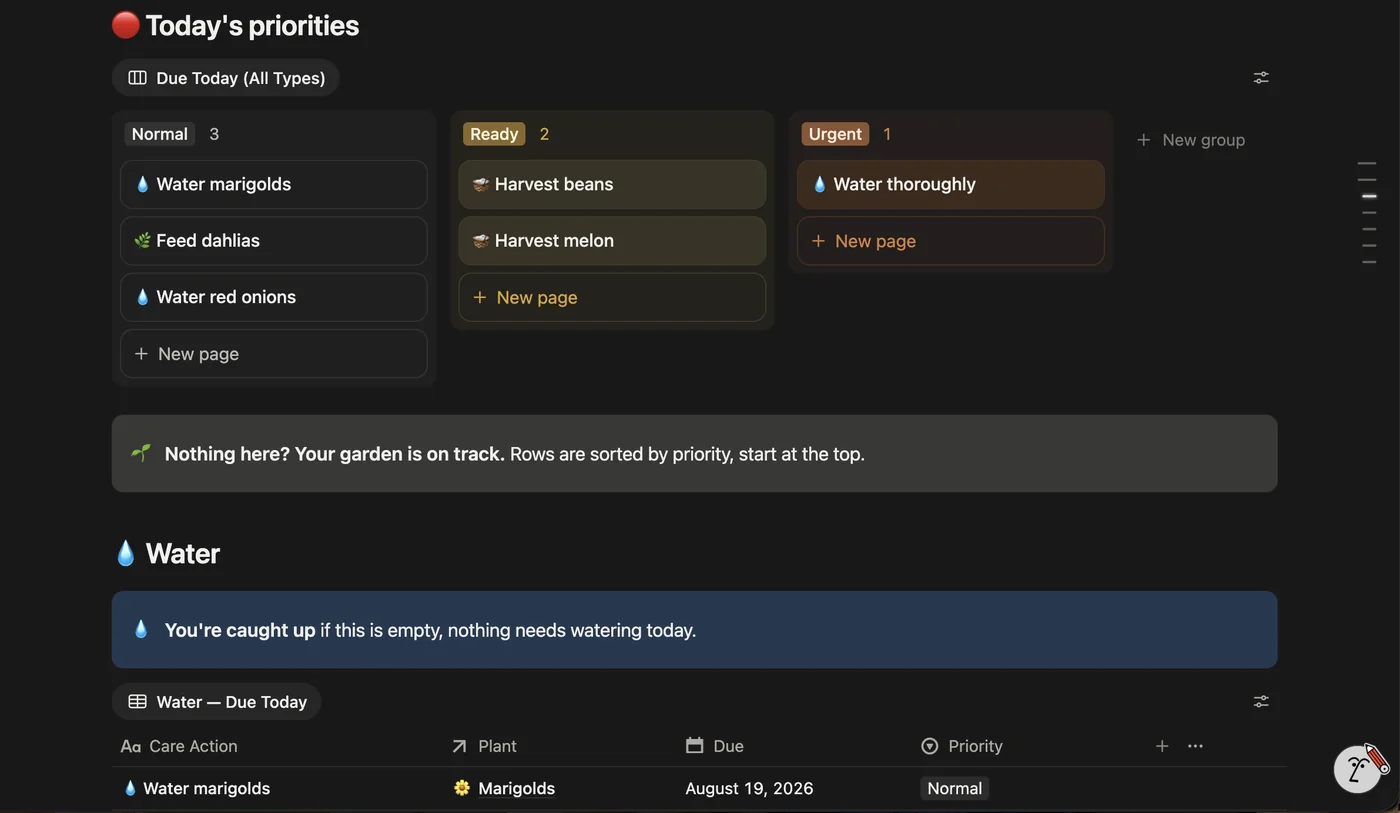
Your daily command center. See what needs watering, what's due, and which beds are on track, without opening ten different databases.
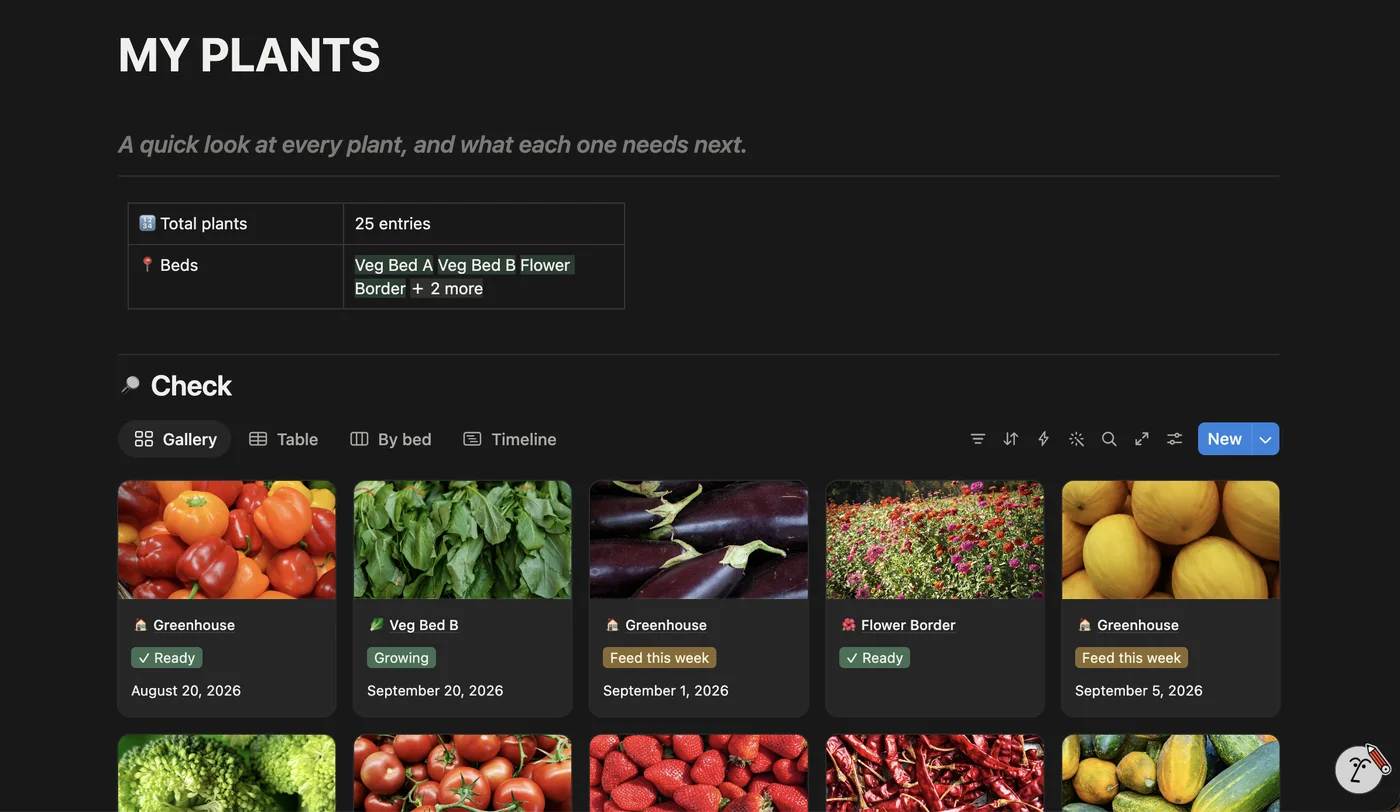
Every plant gets its own living profile, with stage, bed, care history, and a built-in reflection page for when it's done.
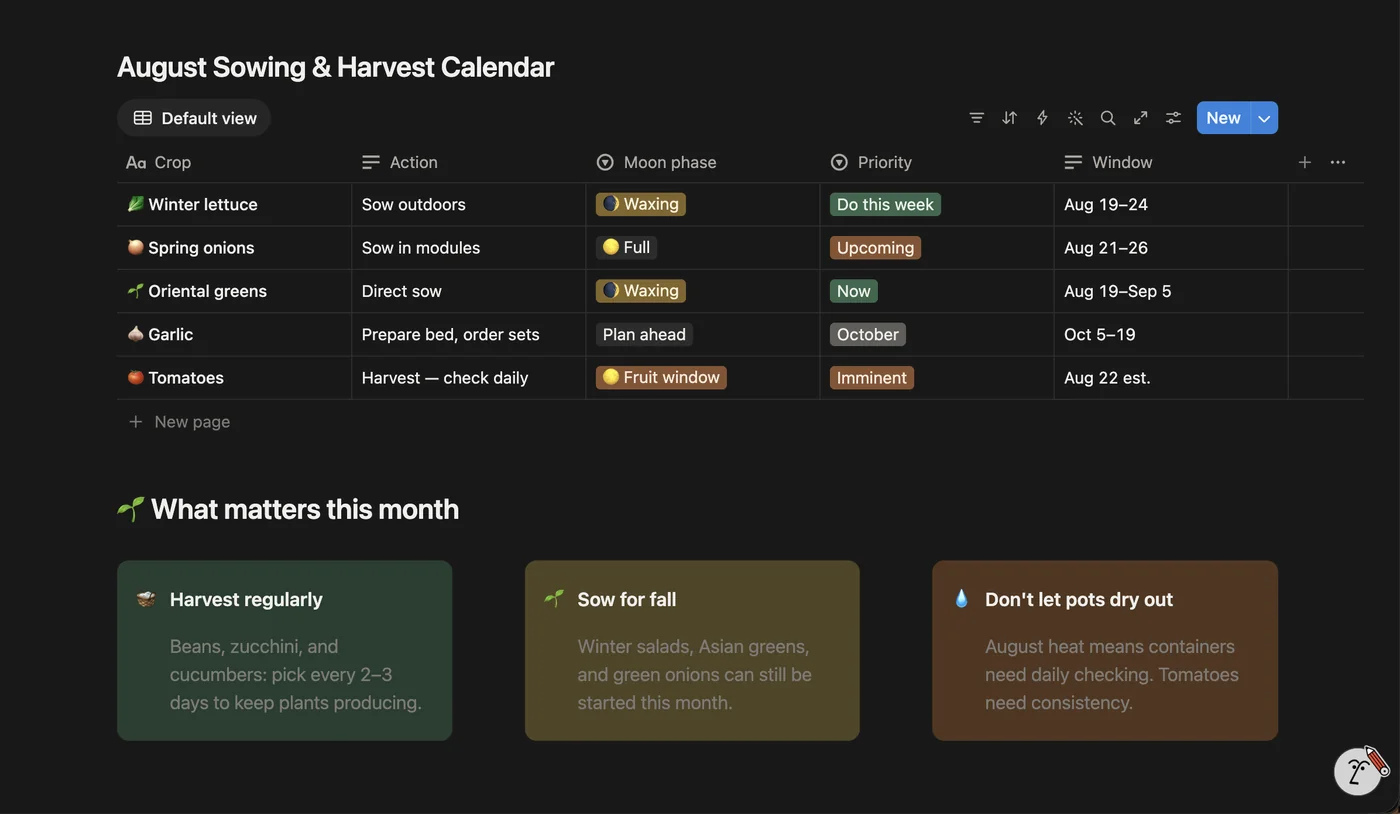
Tracks your current growing season against a fixed calendar view, so you always know where you are in the process, not just what happened yesterday.
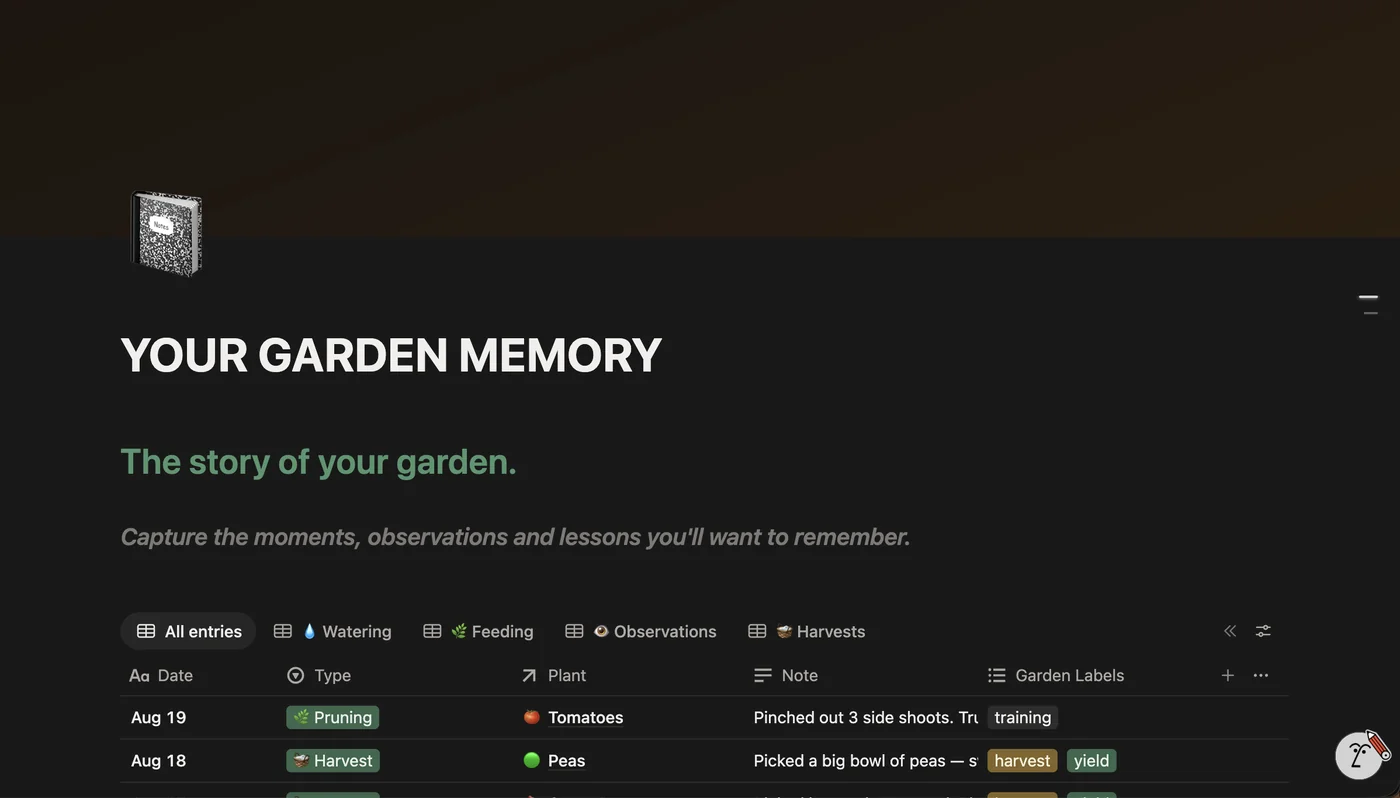
A three-layer log (raw notes, curated highlights, and an end-of-season retro) that turns this season's lessons into next season's plan automatically.
Four optional tools open up when you want more depth, though none of them are required to get value on day one.
One screen shows the health of your whole system: how many plants are in each stage, what's overdue, and where to focus next.
A flexible database for raised beds, containers, indoor shelves, or a whole in-ground plot: add as many as your space actually has.
Recurring garden jobs across daily, weekly, monthly, and seasonal rhythms. Log what you actually did and let the history accumulate naturally.
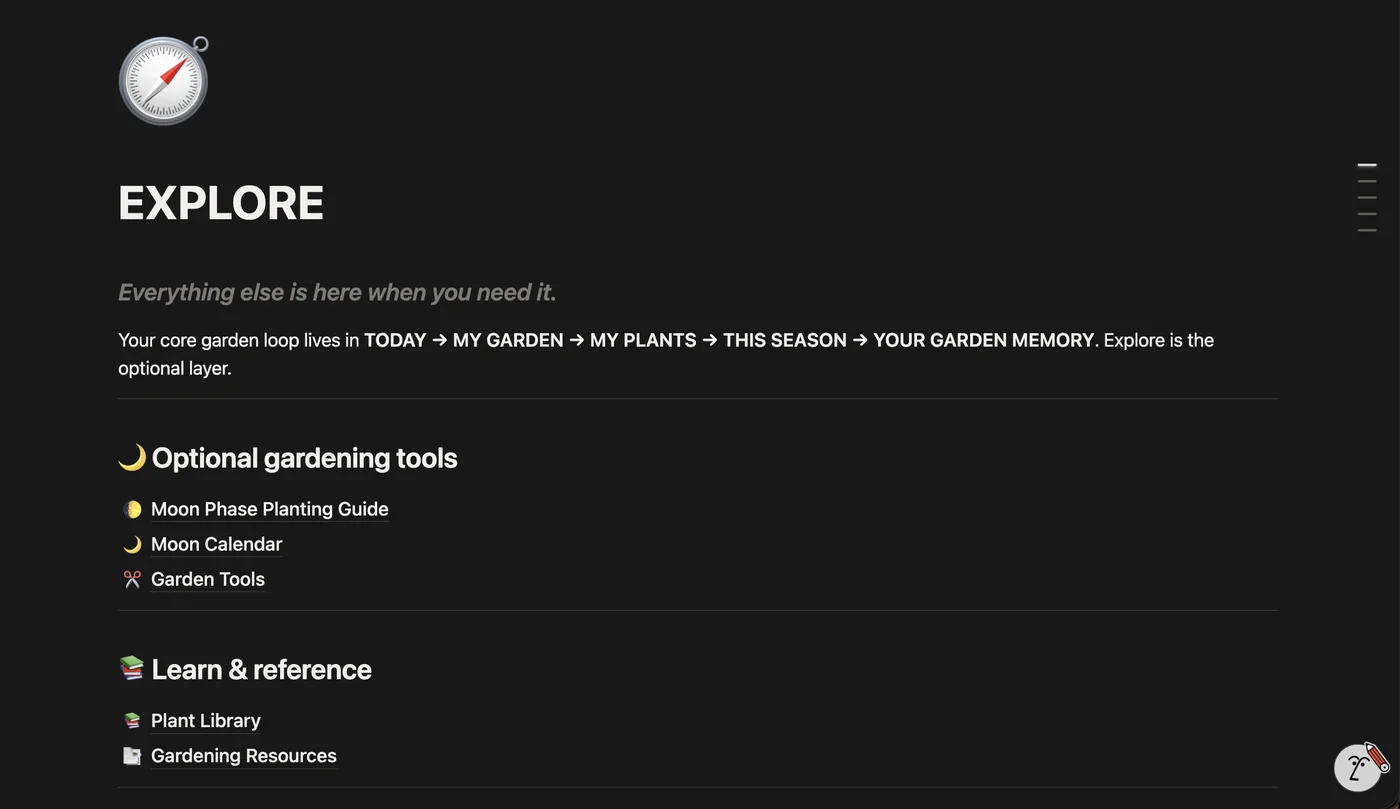
Optional extras (reference library, saved links, and archives) kept out of the way of your core loop until you need them.
The screenshot above is the real GardenHQ system. Every screen below is a real screenshot.
The real system. What GardenHQ looks like, on desktop and mobile.
Today. What's due right now, at a glance.
Plant Registry. Every plant, its own living profile.
This Season. Where you are in the current growing cycle.
Memory. This season's notes become next season's plan.
Overview. The health of the whole system, one screen.
Explore. Moon phase guide, garden tools, plant library, all optional.
Five minutes, start to finish, and the system starts growing with your garden from there.
Buy GardenHQ for $47 β30-day defect protection
Building more than one system? Get all 5 HQ systems for $177 instead of $235 separately (see the bundle β)
GardenHQ isn't built around the assumption that every gardener has one houseplant and a weekly reminder. Garden Beds gives every growing space (pots, raised beds, a full plot) first-class treatment, something generic plant-care apps often overlook.
You won't touch nine of GardenHQ's databases in your first week, and that's fine β they're waiting, not required.
Name, bed, and optionally a photo. That's the whole setup.
Record something you did today: a watering, a feeding, a note about how it's doing.
From here, the system starts building the memory for you. Everything else is optional, added only when and if you need it.
| GardenHQ | Sticky notes | Blossom (~$70/yr) | |
|---|---|---|---|
| One-time price | β $47 | Free, gone if forgotten | β ~$70/yr |
| Works for every growing space | β | β | β built around houseplants |
| Any number of plants, no extra fee | β | β | β |
| You keep the data | β Yours forever | Easy to lose | β Gone if you stop paying |
| Time to set up | β 5 minutes | Ongoing effort | Varies |
Blossom pricing is a named, publicly listed competitor price (in USD), not an average or invented figure.
229 reviews from real TrueStack customers.
No. GardenHQ ships with a guided 3-step Setup checklist that walks you from a blank duplicate to a populated Today view in about five minutes, even if you've never opened Notion before.
Yes. Garden Beds is a flexible database: use it for raised beds, containers, indoor shelves, or a whole in-ground plot. Add as many as you need, no extra fee per bed.
Yes. Notion's free mobile app syncs instantly, so you can log a watering or check today's tasks from the garden itself.
Yes, lifetime access for one price, no subscription.
That's exactly who This Season and the Memory system are built for: they turn this season's notes into next season's plan automatically, so you get smarter every year instead of starting from zero.
You'll get an email with your system link. Open it and click Notion's "Duplicate" button in the top right to add your own copy, then follow the 3-step Setup guide inside. No account, install, or waiting involved.
No. The core loop (Today, Plant Registry, This Season, Memory) is all you need to start. Overview, Garden Beds, Task Calendar, and Explore are optional deeper tools that only show up when (and if) you want them.
Same system, different focus: not because they're related to this one, but because you might run more than one part of your life this way.

One system for every feeding, vet visit, and walk.

Log every rep. Hit every PR. Finish the block this time.

Actually finish the books you start, and remember what's in them.